
Start with the handoff that keeps failing
A spreadsheet can be a sensible customer database. The warning sign is the work happening around it: someone forwards an enquiry, someone else copies it into a second sheet, and nobody knows who owns the next call. Moving those rows into a new screen will not fix an undefined handoff.
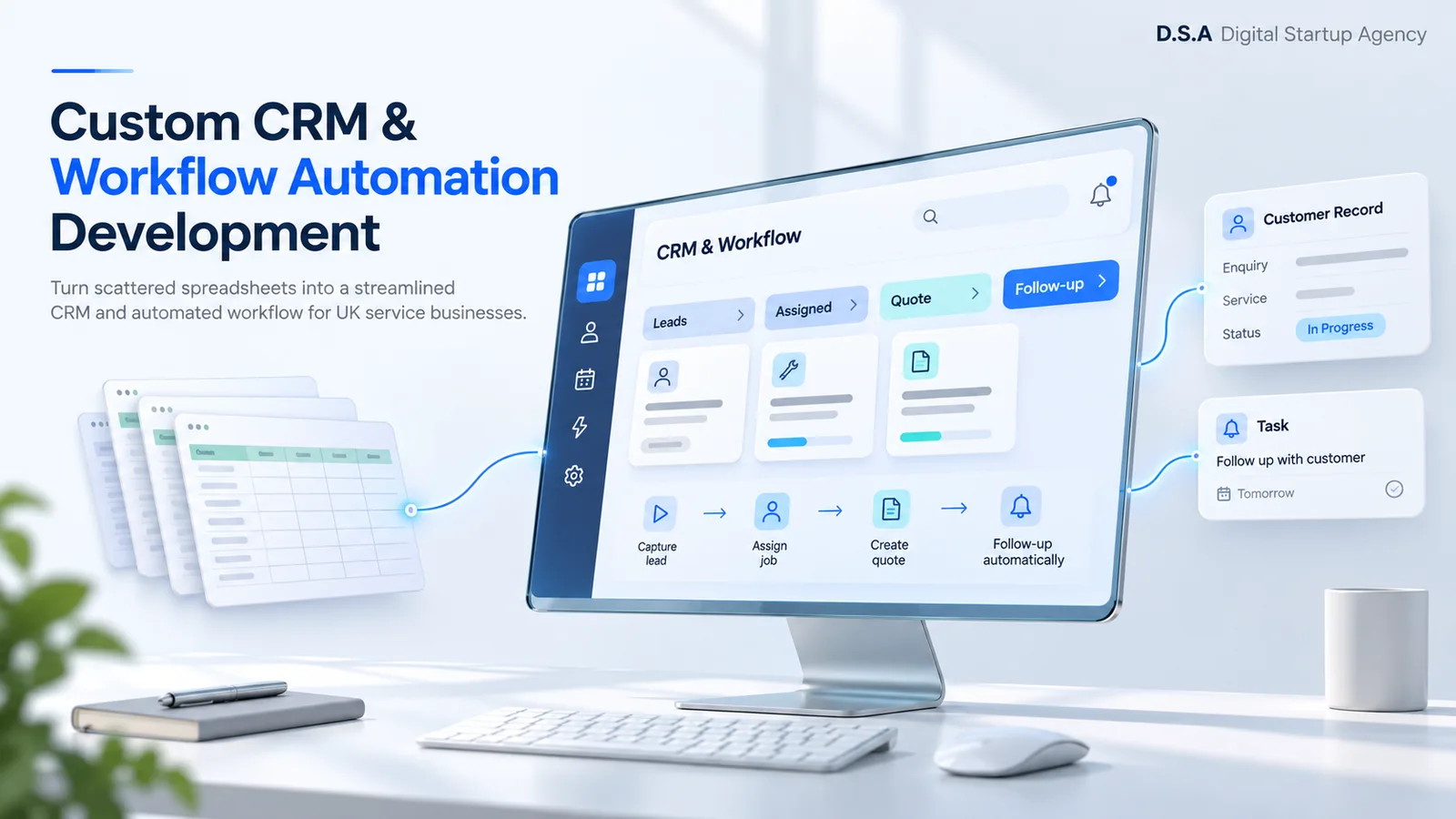
For a London service firm coordinating sales and delivery across Shoreditch and the wider UK, start with one complete journey: enquiry, qualification, quote, approval and delivery. Write down the owner, required information and next action at each step. Leave forecasting dashboards until that journey works.
Before commissioning custom software, run the same journey through a configured mainstream CRM. If its permissions, objects and automation fit, configuration may be enough. A custom system becomes worth evaluating when repeated exceptions, job relationships or approvals determine how the business operates.
Create a field map before importing anything
Separate companies, contacts, opportunities and jobs. One company may have several contacts and several active jobs. Flattening everything into one customer row makes it difficult to preserve that history.
Give every source row a stable migration identifier and preserve it in the destination. Do not treat an email address as an infallible identity: addresses change, and teams share inboxes. Agree matching and merge rules with the person who owns the data.
HubSpot’s import documentation describes unique identifiers as the mechanism for updating records, avoiding duplicates and associating records. The same engineering principle applies to a custom import: rerunning a corrected file should update the intended record rather than create a second copy.
| Source information | Destination decision | Acceptance check |
|---|---|---|
| Customer / company name | Separate organisation from person | Contacts point to the correct company |
| Sales owner | Map to an active user ID | Every open opportunity has an accountable owner |
| Free-text notes | Preserve content and source date | Sample long notes and line breaks |
| Next action / due date | Create an open task | Timezone and overdue status remain correct |
| Spreadsheet row ID | Retain as migration key | Repeat import creates no new duplicates |
Measure the gaps before the first import
Take a dated export and inventory every sheet, hidden tab, formula and attachment reference. Mark columns that contain customer information separately from calculations and convenience views. A formula result may need to become a business rule, not a stored field.
Use four checks: duplicate candidate rate = flagged source records ÷ source records; missing owner rate = ownerless open items ÷ open items; missing next-action rate = open items without a dated task ÷ open items; unresolved relationship count = records whose parent cannot be matched. Define the denominator before comparing batches.
These are audit measures, not agency benchmark claims. For example, a fictional export of 1,000 rows with 80 flagged duplicate candidates has an 8% candidate rate. It does not prove that 80 rows should be deleted. Review each match and record the decision.
| Gate | What to inspect | Who signs off |
|---|---|---|
| Identity | Duplicate candidates and merge decisions | Data owner |
| Ownership | Unassigned active work | Sales or operations manager |
| History | Notes, dates and attachments | Representative users |
| Reconciliation | Source = imported + intentionally excluded + unresolved | Migration owner |
| Recovery | Restore rehearsal and rollback decision | Technical owner |
Pilot one workflow with real exceptions
Import a small, representative batch into a non-production environment. Include a customer with multiple contacts, an overdue task, a closed opportunity, a duplicate candidate and a record with missing information. Synthetic or appropriately redacted data is preferable where production customer information is unnecessary.
Ask a salesperson and an operations colleague to complete the whole journey. Can they find the latest note? Does reassignment change task ownership? Can a restricted user export the entire database? Test the exception paths as carefully as the happy path.
The workflow below is a planning model. Expand each stage to inspect the handoff; download the checklist if you need a working document for your team.
01Capture
Validate the enquiry, record its source and check for an existing customer.
02Assign
Give the enquiry an accountable owner and a dated next action.
03Quote
Create a quote, route exceptions for approval and preserve its version history.
04Deliver
Hand the agreed scope to operations with the customer, files and tasks attached.
05Review
Track overdue actions, integration failures and the customer’s next step.
Plan access, retention and recovery for UK customer data
Define which roles can read, edit, export and delete each record type. Decide how long records should be kept, how corrections are handled and how a deletion request propagates to connected systems. Review hosting, processors and any international transfers with the person responsible for data protection.
The ICO’s guidance for small organisations says privacy should be considered throughout a system’s design and personal data collection should be limited to what is needed. A CRM platform does not make the business compliant on its own; the operating process and configuration matter too.
Make cutover a decision, not a date on a calendar
Agree when the source becomes read-only, how changes since the rehearsal will be imported, and which checks must pass before staff work in the new system. Keep the export, mapping rules, exception log and reconciliation report together.
Reconcile totals by record type and status, then inspect individual histories. An equal total can hide one missing customer and one duplicate. Keep unresolved items visible and assign each one an owner.
Define a rollback trigger before launch. If permissions expose the wrong customers or tasks cannot be reconciled, stop writes and follow the agreed recovery procedure. After launch, review overdue tasks, user feedback and integration failures before expanding the scope.
Frequently Asked Questions
Common Questions & Engineering Trade-offs
Can I import an Excel spreadsheet into a CRM?
Many CRMs support CSV or spreadsheet imports. You still need field mapping, stable identifiers, duplicate rules and relationship checks. Pilot representative records before a full import.
How do I preserve notes, owners and deal history?
Map these separately from contact fields. Preserve source IDs and timestamps, map owners to active users, and validate notes, tasks and relationships in a rehearsal.
Do I need a custom CRM to replace Excel?
Not always. Test your actual workflow in a configured existing CRM first. Consider custom development when permissions, relationships or operational handoffs cannot be represented sensibly.
Can the team keep working during migration?
Often, with a planned rehearsal and cutover window. Define where staff enter updates, how final changes are transferred, and when the old system becomes read-only.
Related Blueprints
Explore Related Technical Playbooks
Custom CRM Development Cost UK: What to Budget For
Read blueprint →Operations & CRM SystemsReplacing Spreadsheets with Custom CRM & Business Operating Systems: The High-Growth Playbook
Read blueprint →Customer & Business PortalsBuilding Secure B2B Client Portals: How to Eliminate 80% of Support Overhead
Read blueprint →Bring the workflow. We will help scope the move.
Share the steps, systems and handoffs that need attention. Start with a practical review of migration risk and the smallest useful release.